Manage Your Entire Fleet Through One Solution

Simplicity and support are just a click away.

Solutions in Action

We’re proud of the software we offer, which is why you’ll get an actual user experience instead of flashy dramatization.

Mouse over icons for more information.

We’re proud of the software we offer, which is why you’ll get an actual user experience instead of flashy dramatization.

Click icons for more information.

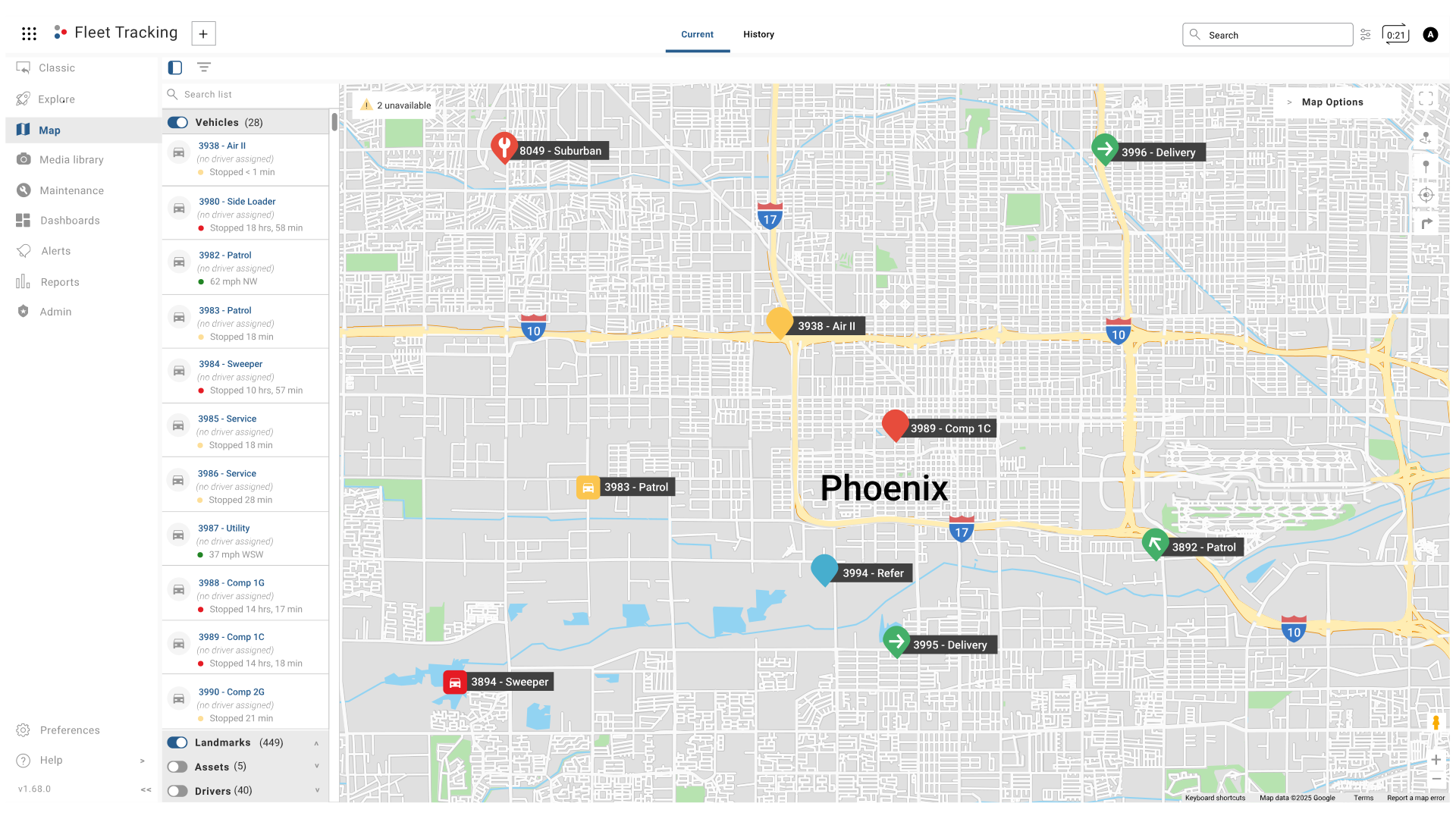
Maps

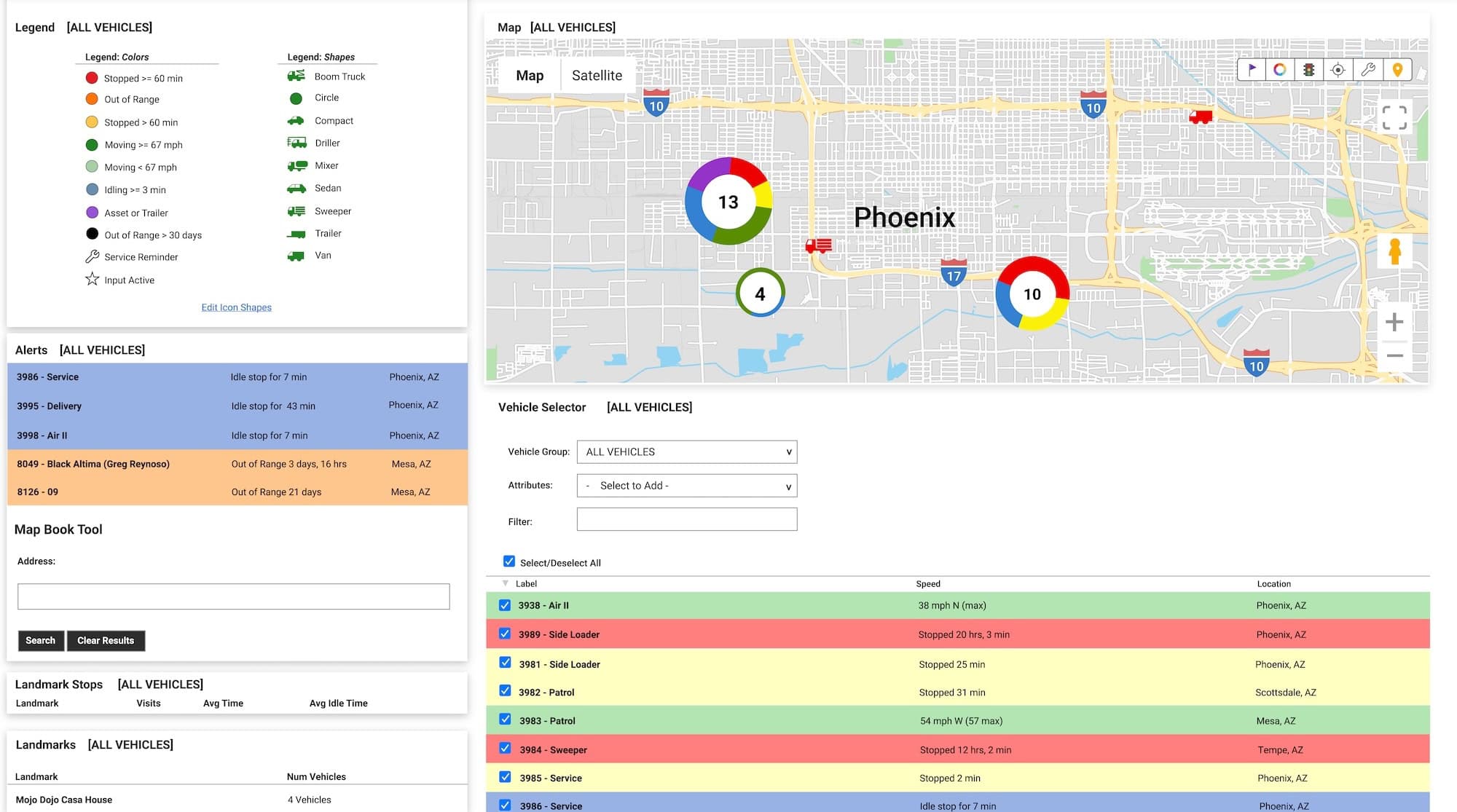
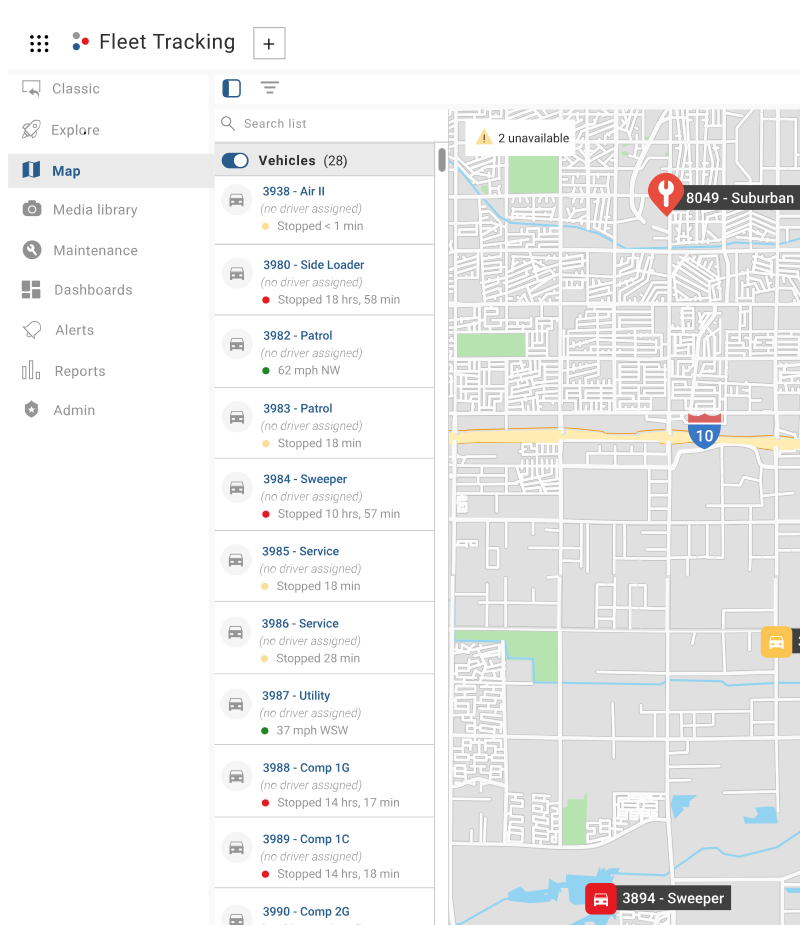
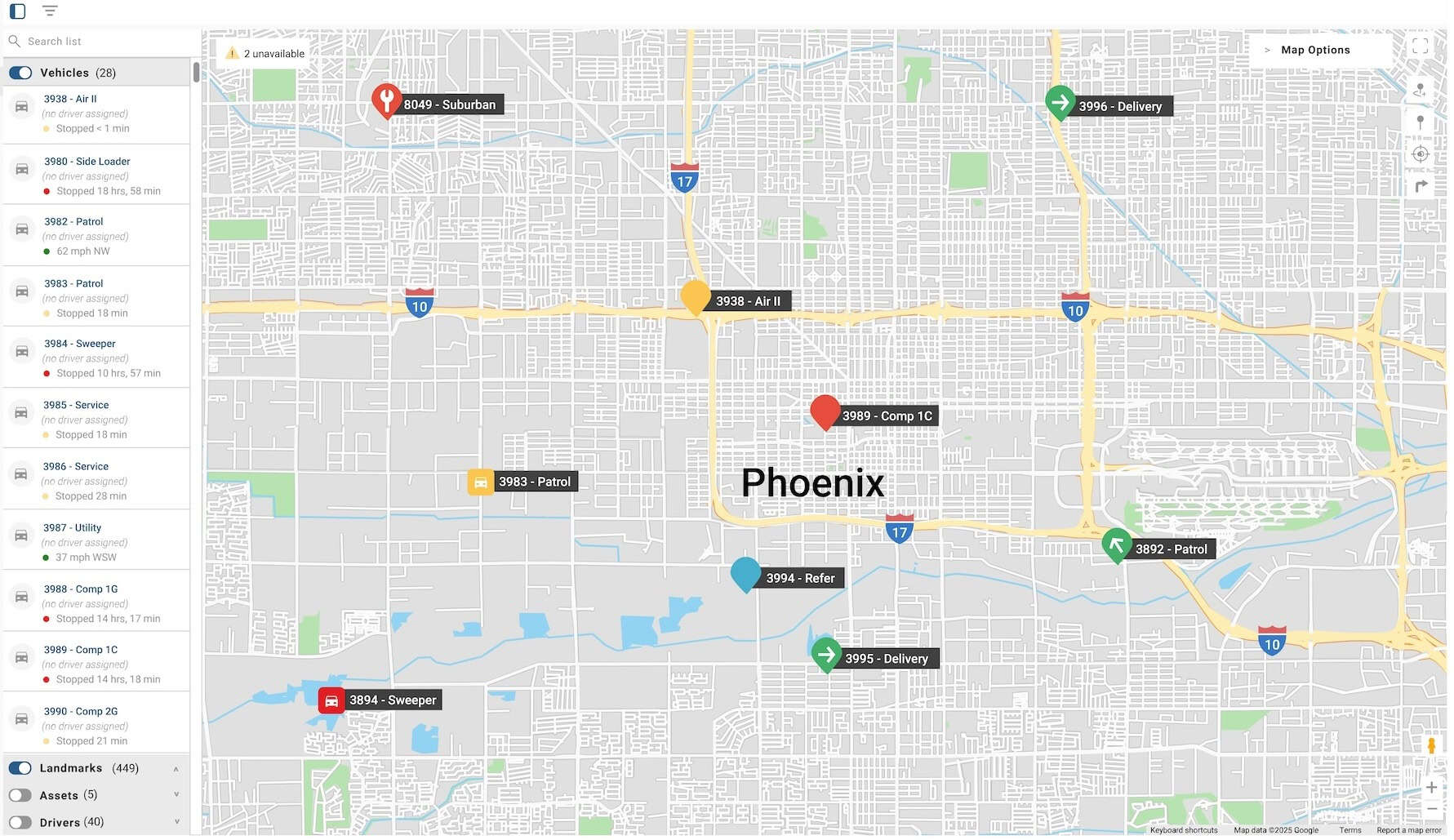
A simplified view of your workspace, making it easy to manage vehicles, drivers, and landmarks. It includes a current map view and history.
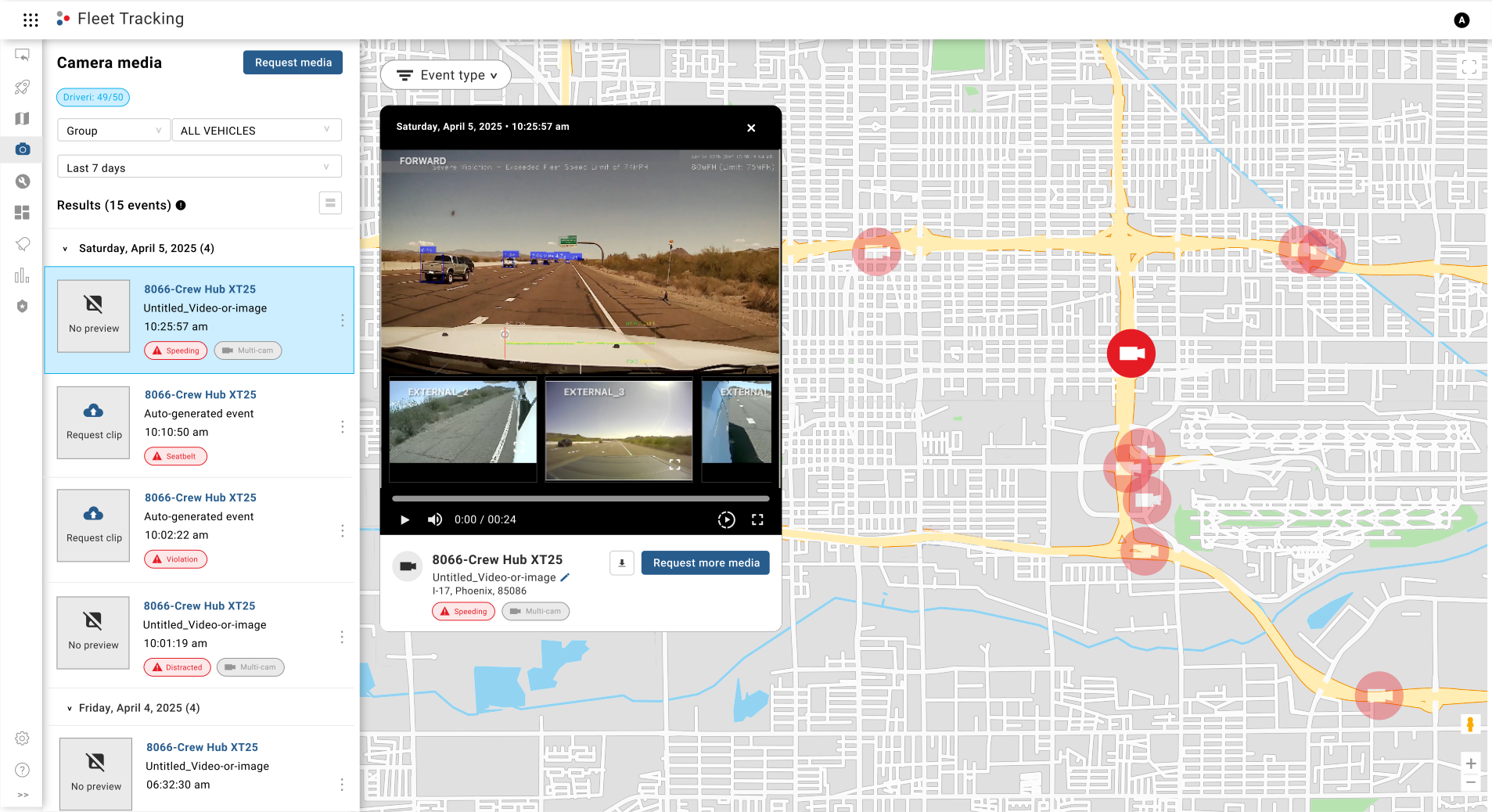
Camera Media
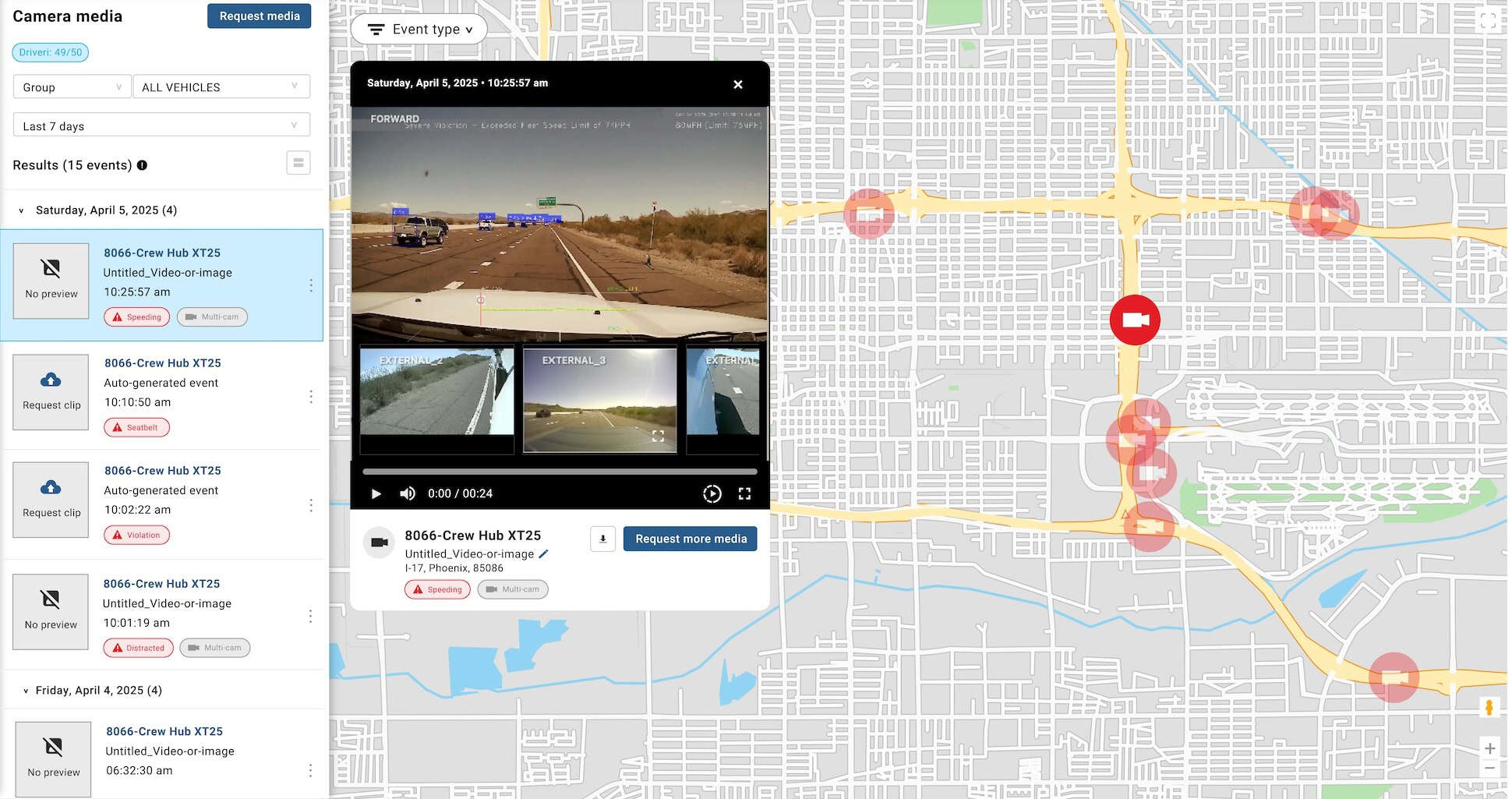
A centralized location to manage camera footage. You can filter, view, rename, download, and request additional footage from the Camera Media Library.Explore the Fleet Camera Media Library
Maintenance

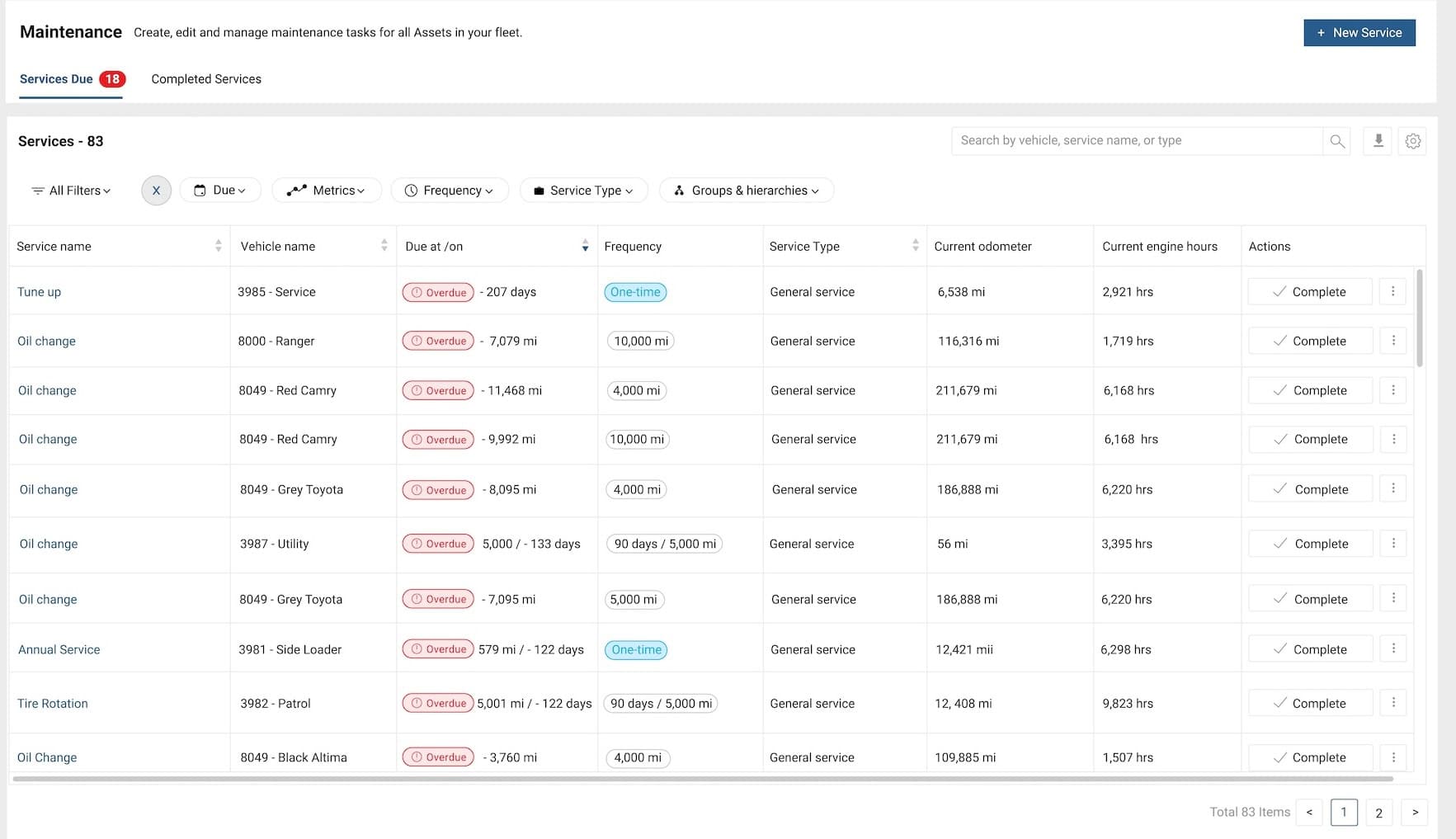
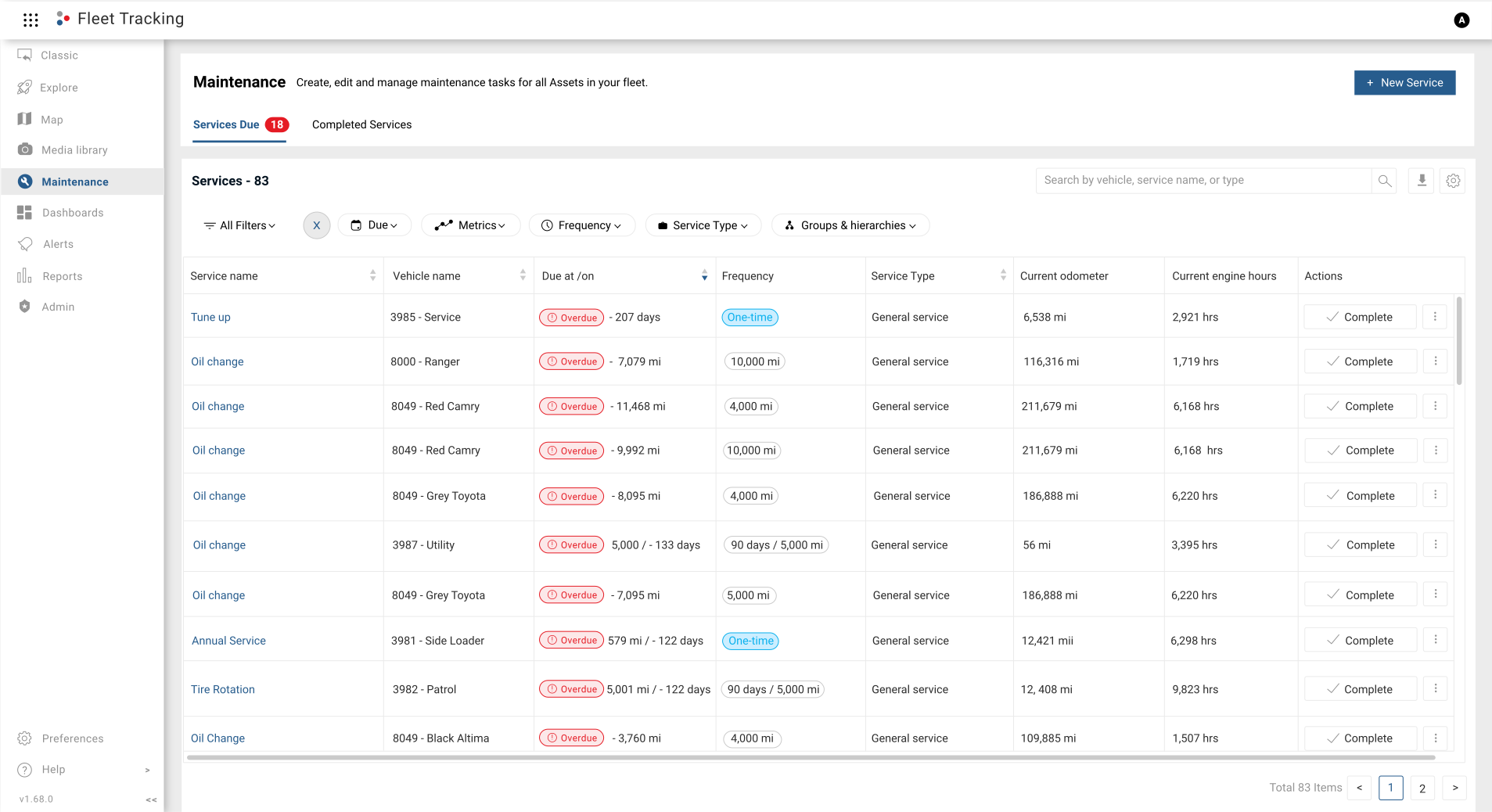
All scheduled and completed vehicle maintenance tasks are available in a single view from the Maintenance Page.

Essential Fleet Maintenance Updates Guide
Dashboards

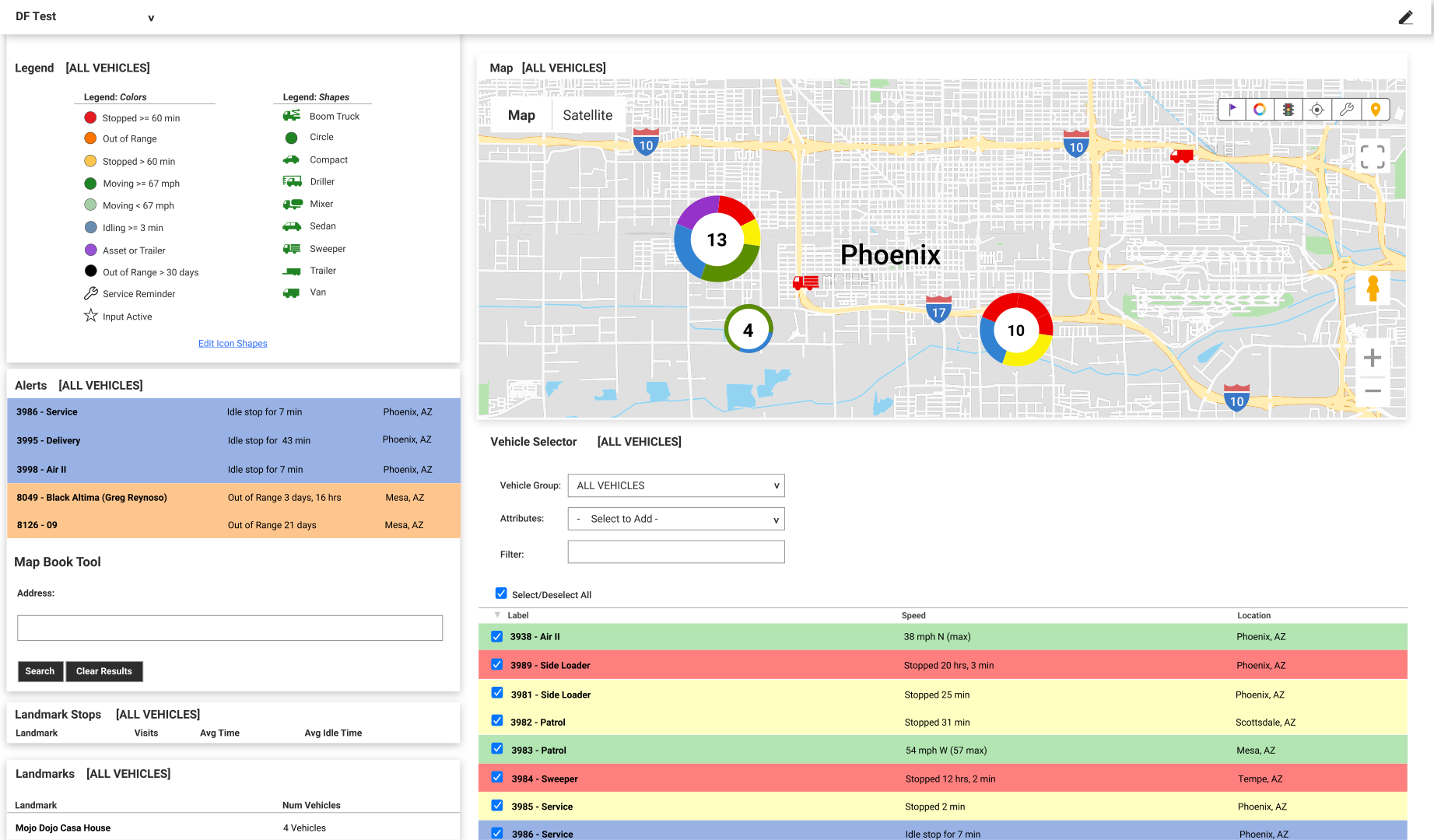
View and quickly switch between your custom dashboards, which deliver insights on critical components of your business operations, such as maps, vehicles, alerts, and more!
Alerts

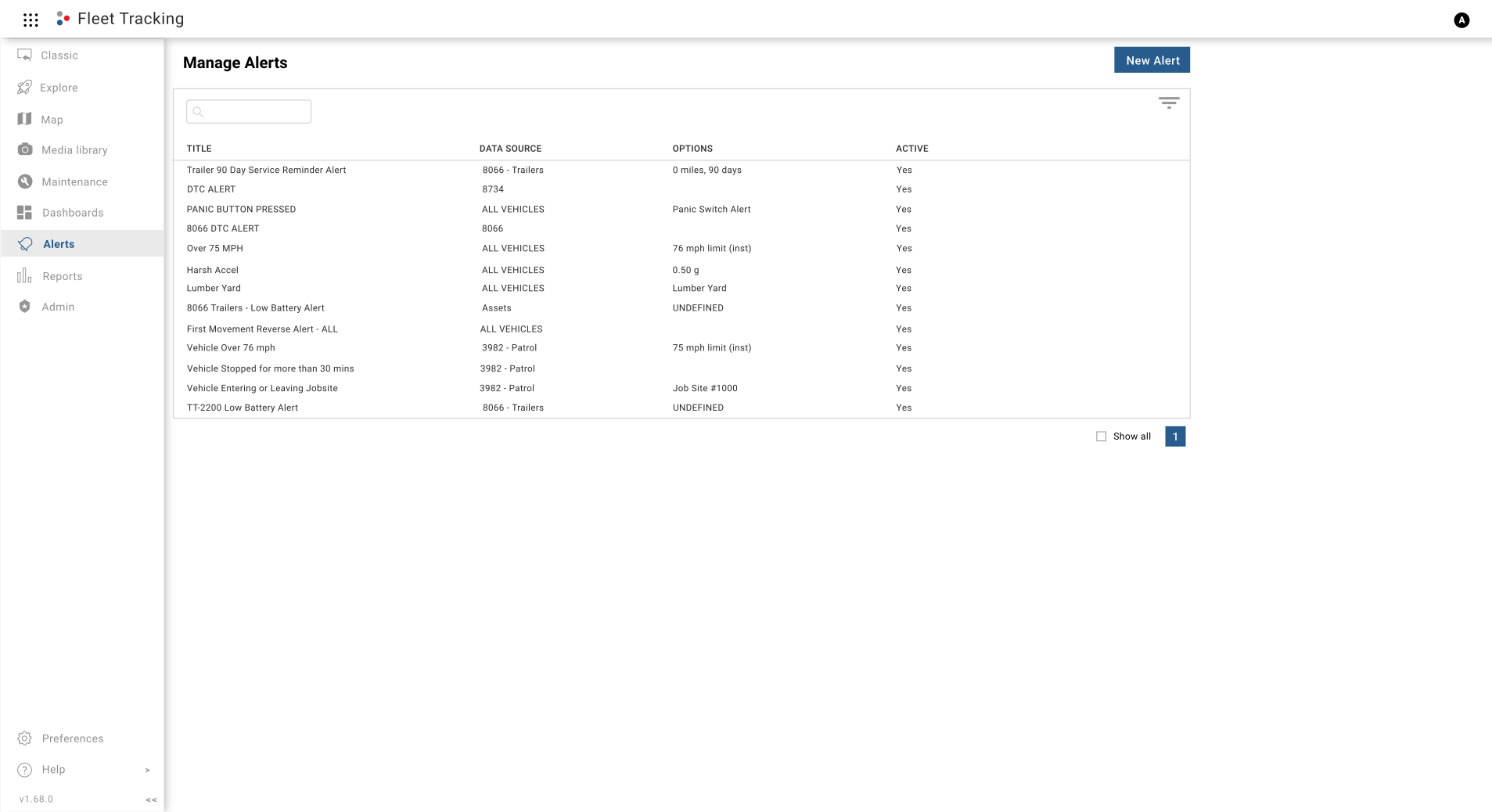
You can configure and manage 25+ different types of alerts from the Alerts page. In addition, you can view alert details at a glance, filter displayed alerts, and search for a previously created alert.
Reports

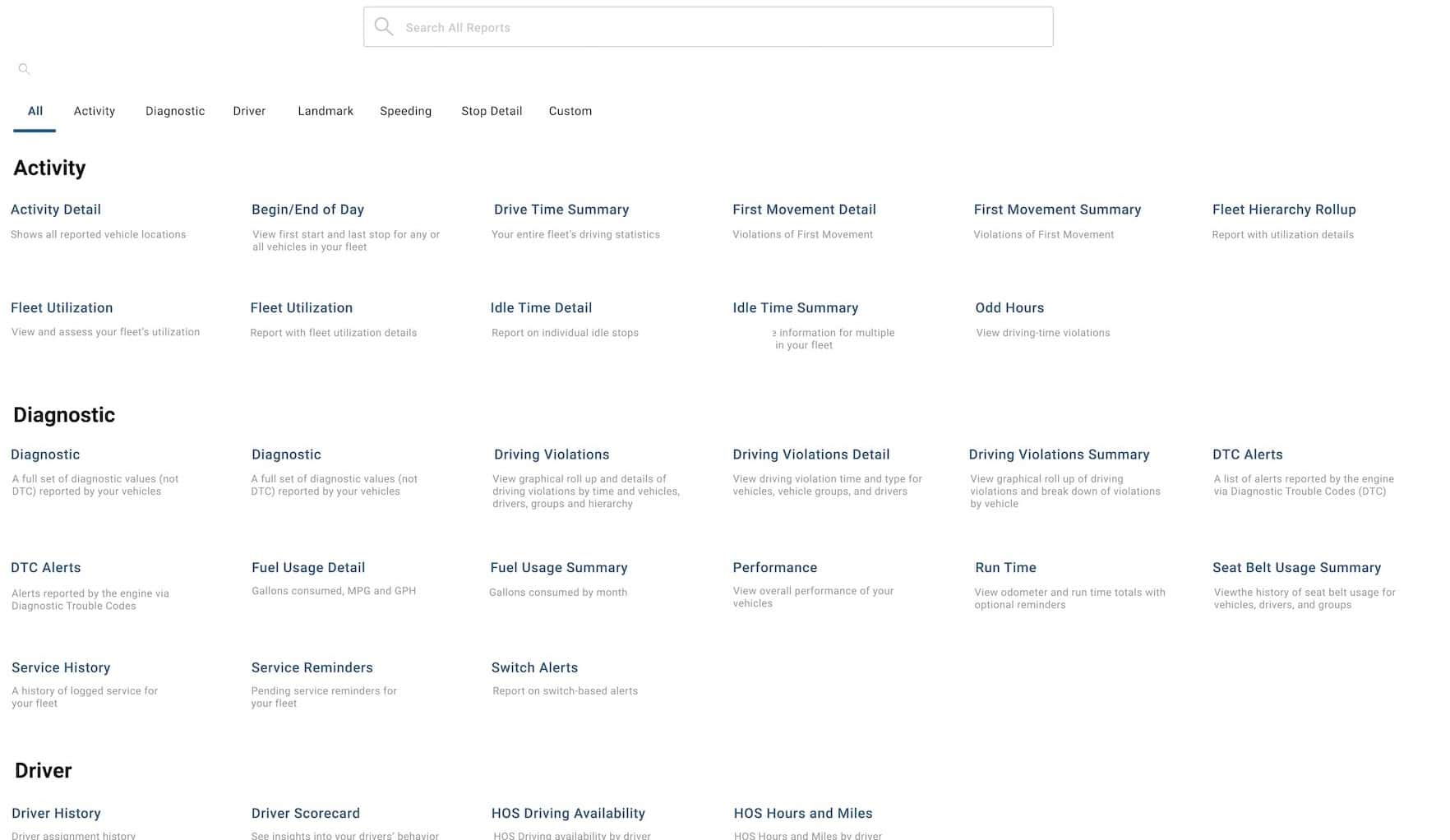
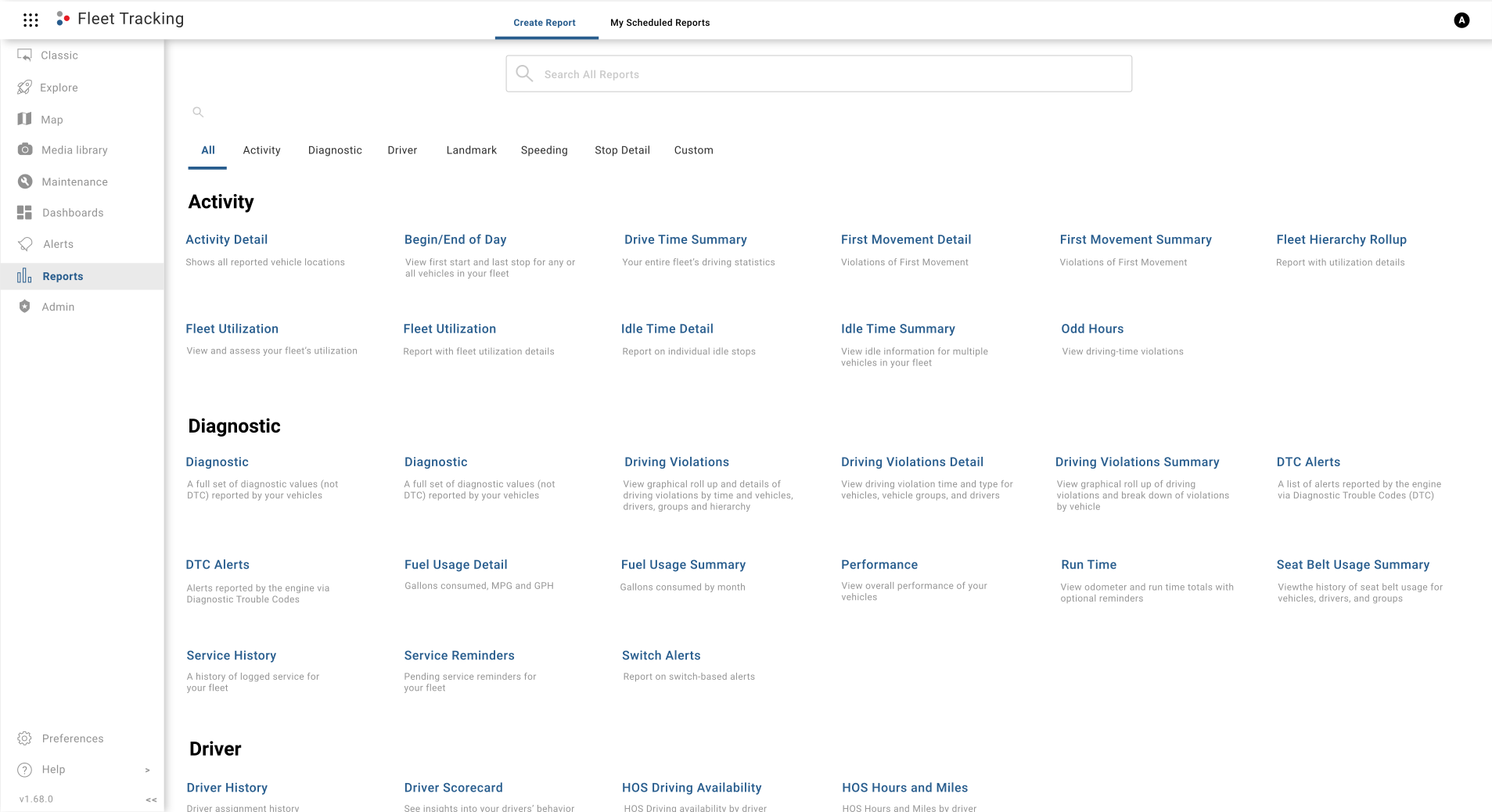
Increase your visibility into your operations with 60+ available reports, which can be run on the fly, or you can schedule a report for automatic delivery.
Admin

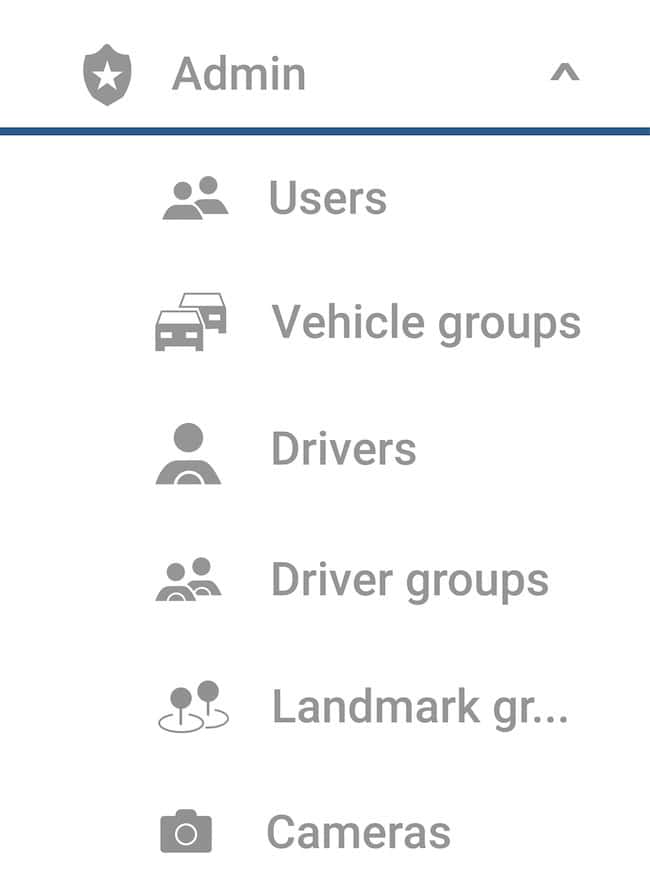
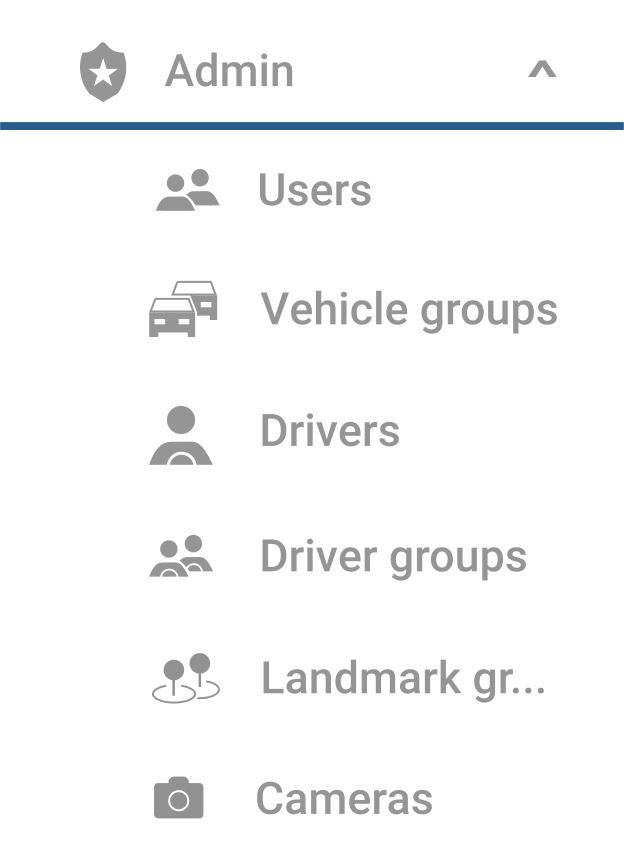
Your centralized hub for administrative tasks and allows you to view and manage your Users, Vehicle groups, Drivers, Driver groups, Landmark groups, and Cameras (if applicable) quickly and easily.
Maps

A simplified view of your workspace, making it easy to manage vehicles, drivers, and landmarks. It includes a current map view and history.

Camera Media

A centralized location to manage camera footage. You can filter, view, rename, download, and request additional footage from the Camera Media Library.

View Fleet Camera Media Library Features

Maintenance

All scheduled and completed vehicle maintenance tasks are available in a single view from the Maintenance Page.

Dashboards

View and quickly switch between your custom dashboards, which deliver insights on critical components of your business operations, such as maps, vehicles, alerts, and more!

Alerts

You can configure and manage 25+ different types of alerts from the Alerts page. In addition, you can view alert details at a glance, filter displayed alerts, and search for a previously created alert.

Reports

Increase your visibility into your operations with 60+ available reports, which can be run on the fly, or you can schedule a report for automatic delivery.

Admin

Your centralized hub for administrative tasks and allows you to view and manage your account users, vehicle groups, drivers, driver groups, landmark groups, and cameras (if applicable) quickly and easily.

Solutions in Action

We’re proud of the software we offer, which is why you’ll get an actual user experience instead of flashy dramatization.

Click through the menu items on the left to preview our software.

Map

A simplified view of your workspace, making it easy to manage vehicles, drivers, and landmarks. It includes a current map view and history.

Camera Media

A centralized location to manage camera footage. You can filter, view, rename, download, and request additional footage from the Camera Media Library.

Maintenance

All scheduled and completed vehicle maintenance tasks are available in a single view from the Maintenance Page.

Dashboards

View and quickly switch between your custom dashboards, which deliver insights on critical components of your business operations, such as maps, vehicles, alerts, and more!

Alerts

You can configure and manage 25+ different types of alerts from the Alerts page. In addition, you can view alert details at a glance, filter displayed alerts, and search for a previously created alert.

Reports

Increase your visibility into your operations with 60+ available reports, which can be run on the fly, or you can schedule a report for automatic delivery.

Admin

Your centralized hub for administrative tasks and allows you to view and manage your Users, Vehicle groups, Drivers, Driver groups, Landmark groups, and Cameras (if applicable) quickly and easily.
Customer Reviews

Customer Obsession is a Two Way Street

Joe F
Joe F
Critter Control
Our ability to grow has increased without having to add more staff. The application is working exactly the way we ever dreamed it would.
Shaun H
Shaun H
Chas Roberts
We demoed Driver•i and got to see the results of the Netradyne technology and the data dashboard, it was pretty fantastic. We’ve already seen improvements.
Charles B
Charles B
EDGE Systems
It’s cheaper, it’s fairly easy to use, and GPS Tracking it’s made life a lot easier. Once our contract is over, we’re fully switching over.
Jim K
Jim K
A-TEC Ambulance
There’s overall a safer sense of driving with Driver•i. There’s no other system that incorporates all of the things that I’ve seen that your system does.
Sam L
Sam L
Alten Construction
Everything works every time you turn it on, everything’s there where you want it. And it’s easy to get the reports you need.
Cindy D
Cindy D
City of Lake Jackson, TX
We also have better safety, because with the camera system that’s in there, it’ll notify us if there’s a safety concern. There were just a lot of other little things that were in there that just made it more of what we wanted.
Tracee S
Tracee S
Fleet & Fuel Services
When we started with GPS Insight, I got chills from just their presentation…We use the word a lot—professionalism—and all those catchy phrases…they were the embodiment of that.

See Why Customers Love Us

Read the Latest in Telematics

Vehicle towing trailer on highway with GPS navigation overlay

How Geofencing Technology Works Step by Step

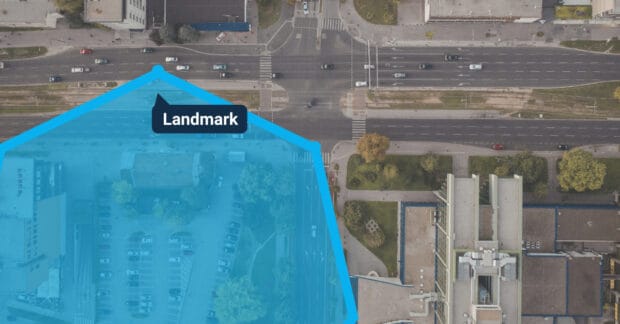
Geofencing is a practical way to turn a map into something your team can act on. Instead of staring at raw GPS points, you define an area that matters...

Call Now Button