
Cloud-Connected vs. SD Card Dash Cams: Storage Capacity, Overwrite Rules, and Retrieval Times Compared
A commercial dash cam can record for a few hours, a full workday, or even longer. The answer depends on how the camera is set up.
Storage size, video quality, recording mode, and cloud access all affect how much footage the system can keep. A camera recording in high resolution all day will use storage much faster than one that saves only important events.
For fleet teams, the real concern is simple: when something happens, can you find the right footage quickly?
That’s where recording time, storage planning, and telematics integration matter. The right setup helps teams capture what they need, avoid storage gaps, and review incidents without wasting time.
How Many Hours Can a Commercial Dash Cam Record? Continuous vs. Event-Only Storage Explained
Different dash cams leverage various recording technologies—loop recording, event-triggered recording, and continuous recording. The duration a dash cam can record before overwriting previous footage is intimately tied to its storage capacity.
For a majority of dash cams, the determining factor is based on the size SD card in your camera. Obviously, a 128 GB card will record much more than a 32 GB card. The size of your storage card makes a difference in hours of footage you could have access to at any given time. Being able to view the dash cam video becomes an easy process as you can export the video footage onto your computer.
When selecting an optimal dash cam for your fleet, two standout options emerge: Drive360 and Driver•i. These cameras not only boast impressive recording times but also integrate features designed to address the challenges faced by fleet managers directly.
What Affects Dash Cam Recording Time?
Recording time isn’t fixed. It shifts based on how the camera captures and stores video across daily operations.
Four variables shape it the most:
- Storage capacity: Larger memory cards or cloud storage extend how long footage is retained
- Video resolution: Higher clarity increases file size and shortens recording duration
- Frame rate: Smoother video uses more storage per hour
- Recording mode: Continuous recording fills storage faster than event-based capture
A fleet running high-resolution, always-on recording will cycle through storage quickly. A fleet using event-triggered recording can retain footage longer without increasing storage costs. The right balance depends on how much visibility you need.
What is Loop Recording in Dash Cam Systems?
Loop recording keeps the system running without manual intervention.
Once storage is full, the dash cam automatically deletes the oldest footage and replaces it with new recordings. Nothing stops. Nothing needs to be cleared manually.
That matters in fleet environments where vehicles operate continuously. Without loop recording, storage would fill up within hours and leave gaps in coverage.
Modern systems protect critical clips. Any footage triggered by an incident, such as harsh braking or a collision, is locked and not overwritten.
What is Continuous & Event-Based Recording?
Recording mode changes how quickly storage fills and how useful the footage becomes.
- Continuous recording captures everything. Every mile, every stop, every moment. It offers complete visibility but consumes storage quickly.
- Event-based recording captures only when something happens. Sudden braking, impact, or unusual driving behavior triggers the camera.
Fleets rarely choose one over the other; they combine both.
Continuous recording provides context. Event-based recording highlights what matters. Together, they reduce unnecessary data while keeping important footage intact.
Pro Tip: Combining telematics with video connects footage to location, speed, and driver behavior. That makes incident reviews clearer and more useful for coaching or claims.
Cloud-Connected vs. SD Card Dash Cams: Storage Capacity, Overwrite Rules, and Retrieval Times Compared
As a fleet manager, sometimes you need storage beyond a SD card to get access to footage for your fleet. You never know when someone will try and pin an accident your fleet may or may not have caused. That’s why GPS Insight has solutions for fleets of all shapes and sizes. Which is why we’re proud of our two cameras which have the capacity to reach beyond the standard SD card storage scenarios. When law enforcement frequently seeks dash cam footage for accident investigations and every mile is under scrutiny, investing in these advanced dash cams isn’t just about recording the road.
By blending recording duration with proactive protection features, the Drive360 and Driver•i dash cameras redefine the fleet management landscape, ensuring comprehensive coverage and fortifying peace of mind for those navigating the challenges of the road. Sometimes, those changes can happen overnight, like they did for our partners at Pacific Office Automation.
Almost immediately after getting their dashcams up and running, one of their vehicles was involved in an accident. Thankfully, because of their dash cameras, they were able to show hard evidence they were not at fault and save themselves from a false claim.
How Fleet Dash Cams Store Video (Cloud vs Local)?
Dash cam footage lives in two places: onboard storage or the cloud.
- Local storage (SD cards or DVR systems)
Video stays inside the vehicle. It’s simple and cost-effective but limited by storage size. Accessing footage often requires manual retrieval.
- Cloud storage
Footage uploads automatically. Fleet managers can access video remotely, review incidents faster, and retain data longer without worrying about storage limits.
Most fleets today use a hybrid approach. Local storage captures everything in real time. Cloud systems store critical footage and make it accessible across the organization.
Choosing the Best Dash Cam Storage Plan for Fleet
Storage planning should match fleet size and operational complexity.
- Small fleets often rely on local storage with short retention windows
- Growing fleets need a mix of onboard and cloud storage
- Large fleets depend on cloud systems with automated filtering
Fleets mostly aim at keeping important footage accessible without paying to store everything indefinitely.
Systems that filter events, compress video, and prioritize critical clips help fleets control costs while maintaining visibility.
Pro Tip: Cloud-connected dash cams reduce the need to pull footage manually from each vehicle. Fleet teams can review incidents faster and respond with better context.
How Else Could Dash Cams Work for My Fleet?
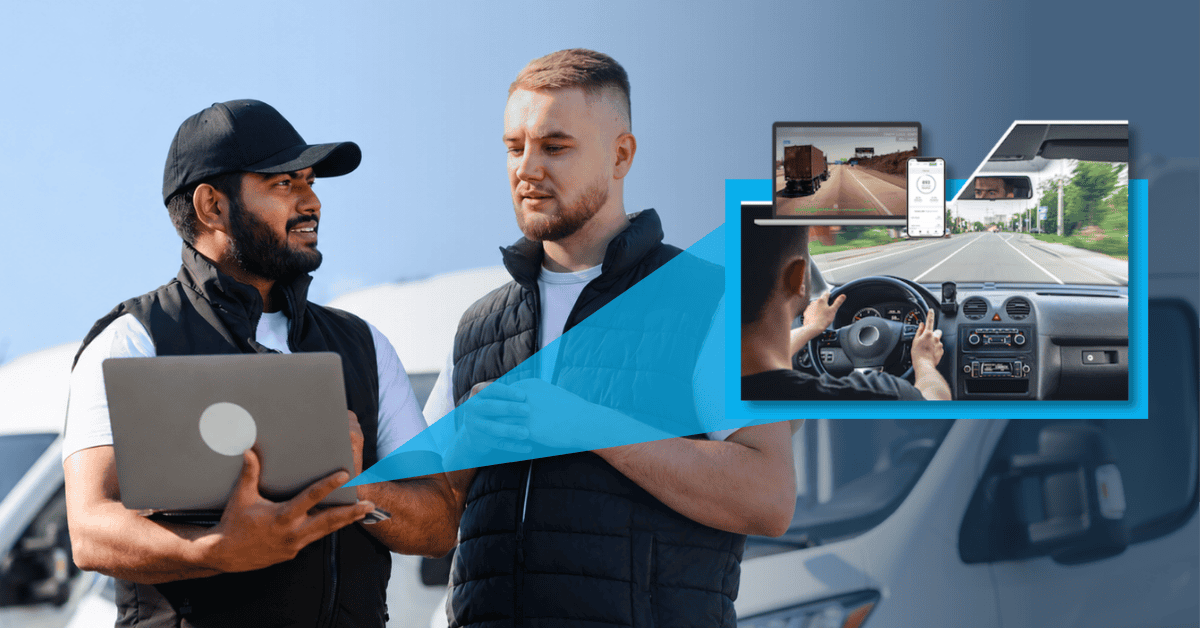
For most fleet managers, being able to put yourself in the passenger seat is the best way to keep an eye on your team. Because we know that’s not a realistic solution, the next option would be a reliable dashboard camera.
Video is superior to having to go against a potentially false claim because you have tangible evidence your drivers were not responsible for an accident they may have been accused of causing. Dash cams are also great at monitoring your driver’s behavior.
It can track things like:
- Speeding violations
- Following too close
- Potential accident
- Running through a stop sign
- Distracted driver
- Hard braking
- Not wearing a seatbelt
- Hard acceleration
- Turning too hard
- Traffic signal violations
- Swerving
- The camera being blocked
- And more!
Most advanced fleet dash cams can send you notifications to a mobile app if there is risky driving. That feature alone will help reduce your premiums with the insurance companies
Drive360: Fleet Safety All-Around
Drive360 takes a proactive approach, recording directly onto the SD card in real time. When a specific event is requested, the footage uploads to the cloud, remaining accessible for a 30-day window. This cloud-centric methodology makes sure that incidents are preserved, offering an invaluable layer of protection against false claims.
The camera has a 360-degree lens which can optimize your fleet tracking as you’re able to see a broader view. It’s hard to dispute any video evidence when you’re able to see both your driver and the road at the same time.
Driver•i: AI Telematics and the Cloud
Driver•i goes the extra mile by automatically uploading camera events to the cloud, providing a 3-month review window for alerts. Non-alert footage finds a home on the SD card, allowing for approximately 40-50 drive time hours—equivalent to about a week’s worth of readily available video footage.
The Driver•i camera also comes with state-of-the-art artificial intelligence that makes for even easier video recording and tracking as it can recognize objects on the road. It also has two cameras, one driver-facing and another that faces the road.
Like the Drive360, it optimizes your ability to see driving behavior outside and in-cab. The integration of GPS tracking and 360-degree recording amplifies visibility, resulting in a comprehensive solution for fleet management.
If you’d like to learn more about our top-tier fleet dash cams feel free to book a demo.
See how you can increase your capacity of video files to protect your fleet from false insurance claims and also improve driver behavior.